HD live video calls
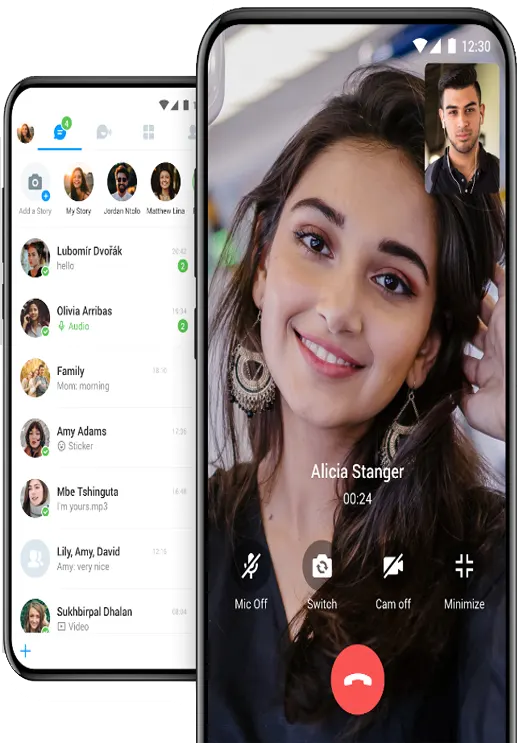
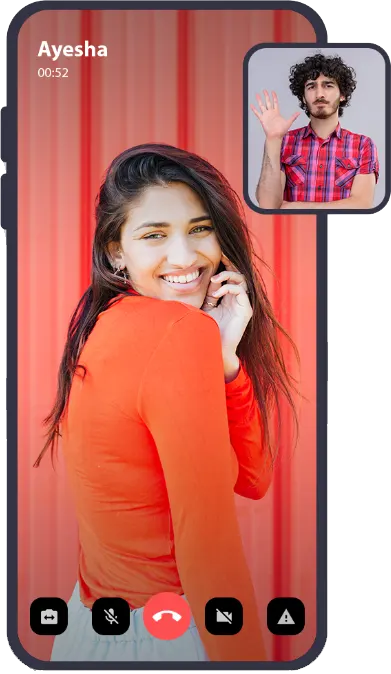
Face-to-face, one-to-one video calls that adjust to your connection, on Wi-Fi or mobile data.
Video call and chat online with people from around the world. Clear one-to-one video calls, voice calls, private and group chat, and games to play together, all free in one Android app.
Everything you need to meet new people and stay in touch with friends, without paying for calls.
Face-to-face, one-to-one video calls that adjust to your connection, on Wi-Fi or mobile data.
Not ready for the camera? Talk with a free voice call and switch to video when you both want to.
Chat one-to-one with text and emoji, and get to know someone before you call.
Talk with several people at once in group chats, an easy way to meet more friends.
Play Tic Tac Toe, Ludo, Words, Pool or Dare with the person you're chatting with.
Block anyone who bothers you with one tap, and report users who break the rules.
Tip: sit facing a window or a lamp and use Wi-Fi. Good light and a steady connection make a bigger difference to video quality than the phone you use.
Calls in the app go over the internet, so a one-to-one (1v1) video call costs nothing beyond your Wi-Fi or mobile data, even when the other person is in another country. There are no coins, call credits, minutes or subscriptions to buy. The app is free because it shows ads.
It works as a video phone and a chat app together: send a message, start a voice call and turn it into a video call, all in the same conversation.
Download the free app →X Live Video Call is an Android app, and it works best on a phone. If you'd rather use a computer, you can still join in:
A laptop with a built-in webcam is the easiest setup. On a desktop PC, plug in a USB webcam and a headset before you start.
Want to call someone who doesn't use the app? Our guide covers WhatsApp Desktop, Google Meet, Teams, FaceTime links and what Windows Phone Link can do: Video call from PC to mobile →
The app is for adults 18 and over. A few habits keep video chat fun.
Straight answers to the questions people ask about video calls.
Six free ways, with and without a download, and what Phone Link can and can't do.
Read the guide → AppsWhatsApp, Meet, Teams, Zoom, FaceTime and more, with their free time limits.
Read the guide → SafetyWhat happened to Omegle, how random chat works, coins, and the safety rules that matter.
Read the guide →Yes. Video calls, voice calls, chat and games are free. The app shows ads, which pay for the servers. Calls use your Wi-Fi or mobile data, not call minutes.
The app is made for Android phones. On a Windows PC or laptop you can run it in an Android emulator such as BlueStacks, sign in, and video call people who use the app on their phones. You need a webcam and a microphone.
Calls and chat happen in the Android app. This website explains the app and links to Google Play.
Android phones and tablets with Android 7.0 or later and a front camera. There is no iPhone version yet.
Yes. You can send text messages and emoji, or make a voice call, and turn on video only when you want to.
Use the app's block and report buttons for anyone who bothers you, keep personal details such as your address and bank details private, and never send money to someone you met online. The app is for adults 18 and over.
A video call uses much more data than a voice call or text chat, so use Wi-Fi when you can. On mobile data, a voice call or text chat keeps data use low.
No. There are no coins or in-app purchases. Video calls, voice calls and chat are free, and the app shows ads.
No. You find people and call them inside the app, and your phone number isn't shown to them.
Install X Live Video Call from Google Play and check that the developer is Computer and Mobile. Don't install copies from APK websites.

X Live Video Call on Google Play, for Android 7.0 and later.